Getting started
Install
Needs uv and Python 3.11 to 3.14. Upgrade with
uv tool upgrade genimg.
Which providers you can reach
You need at least one of these.
| Route | Auth mode | What you need |
|---|---|---|
| OpenAI via its own API | direct |
OPENAI_API_KEY |
| OpenAI via Azure OpenAI | azure |
AZURE_OPENAI_API_KEYAZURE_OPENAI_ENDPOINT |
| Google via a Gemini API key | direct |
GEMINI_API_KEY or GOOGLE_API_KEY |
| Google via GCP Vertex AI | vertex |
GOOGLE_APPLICATION_CREDENTIALS |
| Codex with a ChatGPT subscription | subscription |
the Codex CLI and codex login |
For Vertex, point that variable at a service-account JSON, or use
gcloud auth application-default login (the vertex_adc mode).
genimg auth --modes prints every mode from your installed version.
Connect
Watch the wizard
The wizard finds credentials already in your environment and checks each provider with a free live call. It saves a profile only when that check passes. Keys stay in your environment; only settings such as an Azure endpoint go to config.toml.
Without a terminal (your agent, CI) genimg setup asks nothing: it saves each provider whose key
is in the environment and passes the check, and exits 1 if none does. --model gdm:nb2 also
saves a default.
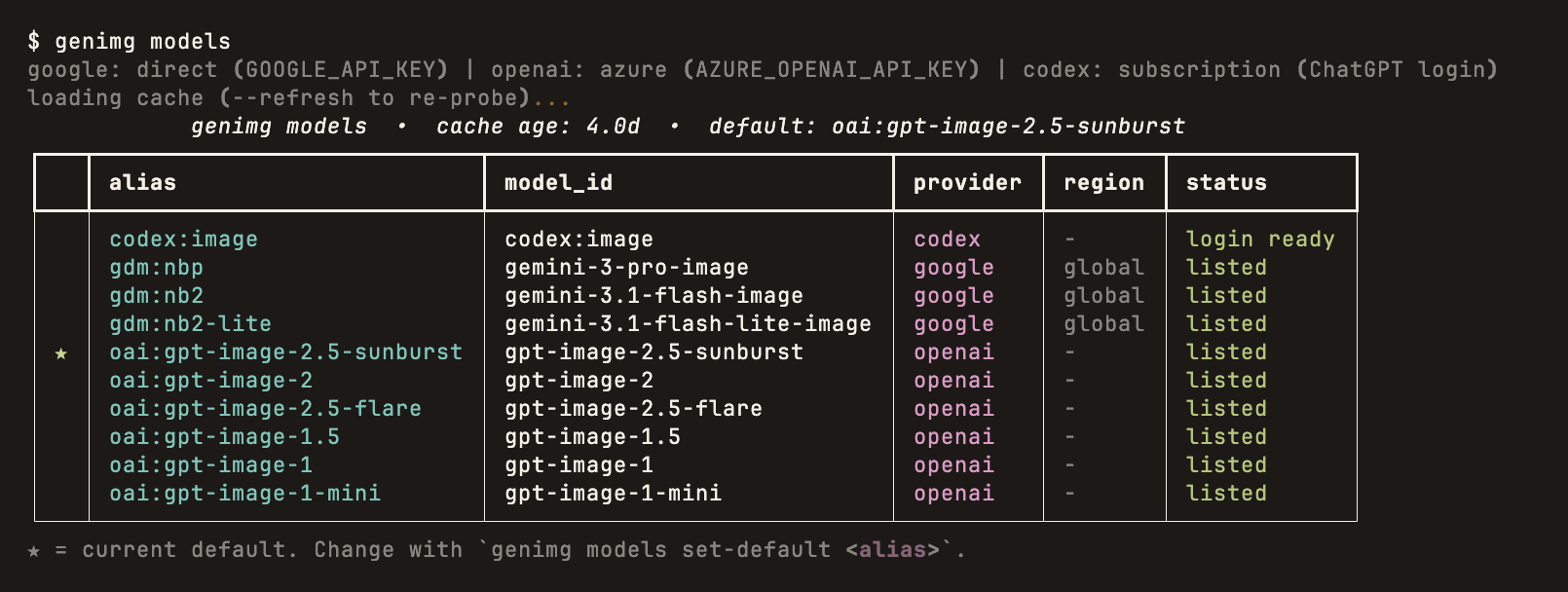
Check the result at any time. Neither command generates an image:
genimg auth      # one row per provider: mode, credential, ready
genimg models    # which models each provider lists for your credentials
Pick a model
genimg has no built-in default model. Pass -m, or save a default.
| Alias | Provider | Use it for |
|---|---|---|
gdm:nb2 |
Fast, cheap exploration; follows layouts and diagrams well | |
gdm:nbp |
Photographic and painterly quality | |
gdm:nb2-lite |
The cheapest Gemini model, 1K only | |
oai:gi2 |
OpenAI | Legible text, logos and UI |
oai:gi2.5 |
OpenAI | GPT Image 2.5: cheaper than oai:gi2, adds xhigh and max quality |
oai:gi2.5-flare |
OpenAI | GPT Image 2.5 Flare, same quality levels |
codex:image |
Codex | Your ChatGPT subscription, no API key; Codex picks the model |
Older models and every alias are in the models reference.
Your first image
Preview the request first. --dry-run shows the model, cost and output path without calling
the API:
genimg "a paper-cut fox in a birch forest, warm palette" \
  --model gdm:nb2 \
  --output fox.png \
  --dry-run
genimg google/direct@google gdm:nb2 → gemini-3.1-flash-image
  prompt   "a paper-cut fox in a birch forest, warm palette"
  params   n=1
  cost     $0.0670 (estimate)  id=20260925_120805_48c7fa
  output   fox.png
dry-run: no API call made.
Watch a dry run of the four takes on the home page
The first line reads provider, auth mode, profile, alias and model id. Drop --dry-run to
generate:
Every run is recorded. genimg history lists past generations and genimg cost totals the
estimated spend.
Next: get several different takes, or let your coding agent drive genimg.